
Every Claude plan,
in your menu bar.
See every account's limits, switch the live login in one click, and let it switch and start your 5-hour windows for you. Free and open source.
macOS 14 or later · works with Claude Code
One click, every session
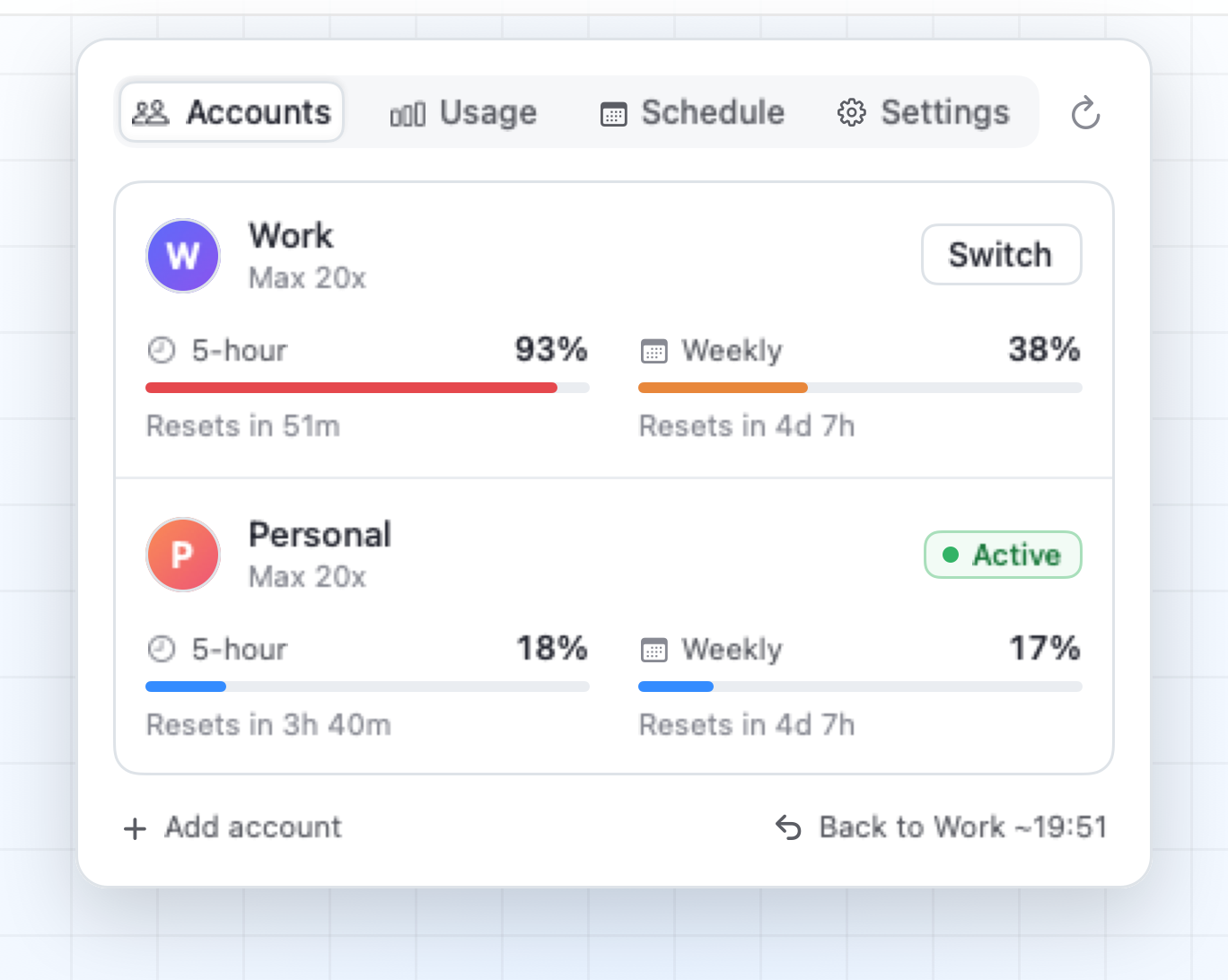
Claude Switch swaps which account Claude Code uses, for every terminal, IDE and agent on your Mac at once. No logging out, no browser.
Accounts
Each account's 5-hour and weekly limits. Blue, orange when it's running close, red when it's on course to run out. Hover for the reset time and when it runs out at this pace.
Usage
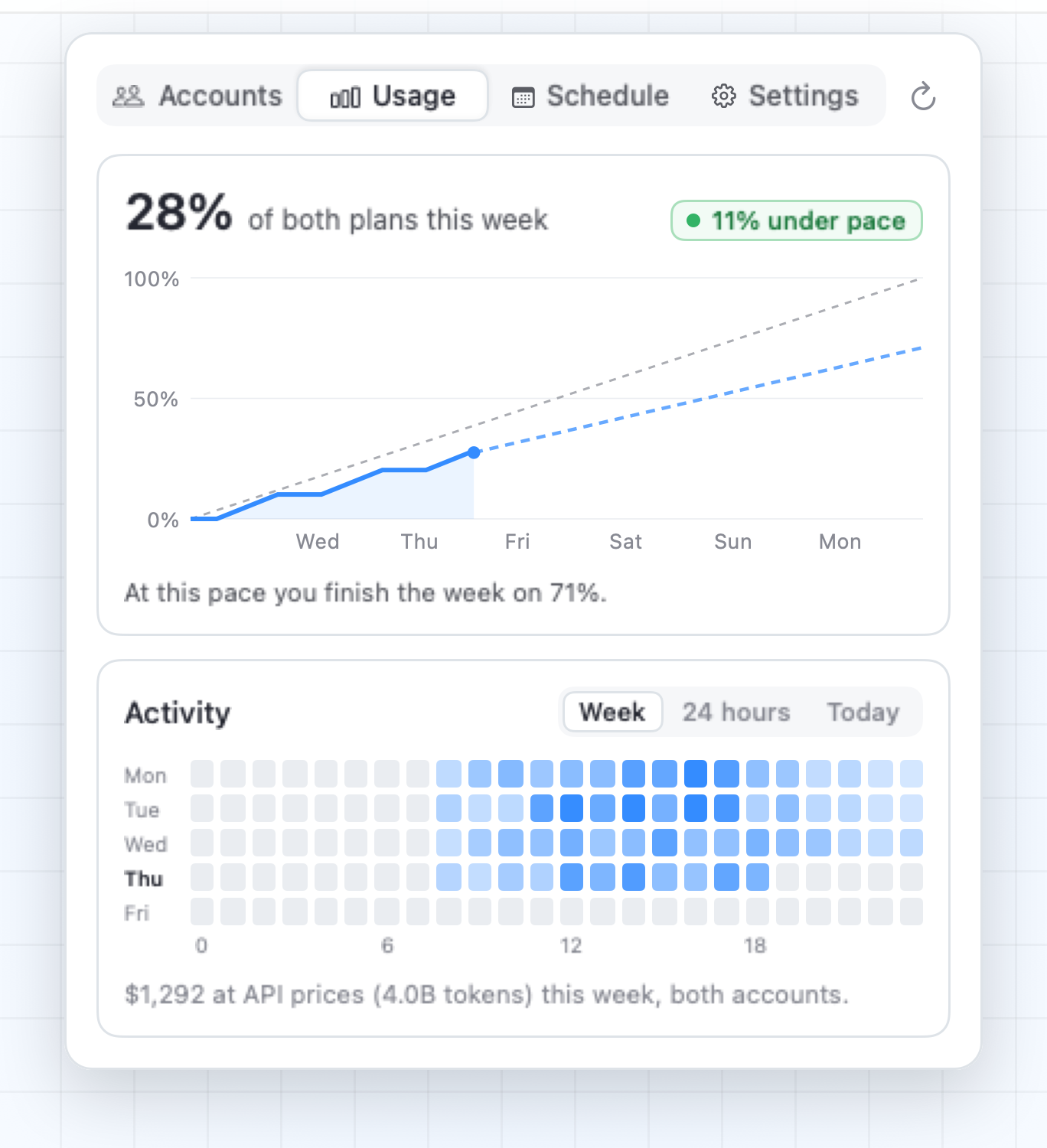
Every plan's weekly limit against an even pace, projected to the reset. Your spend at API prices, by the hour, from Claude Code's own logs on your Mac.
Schedule
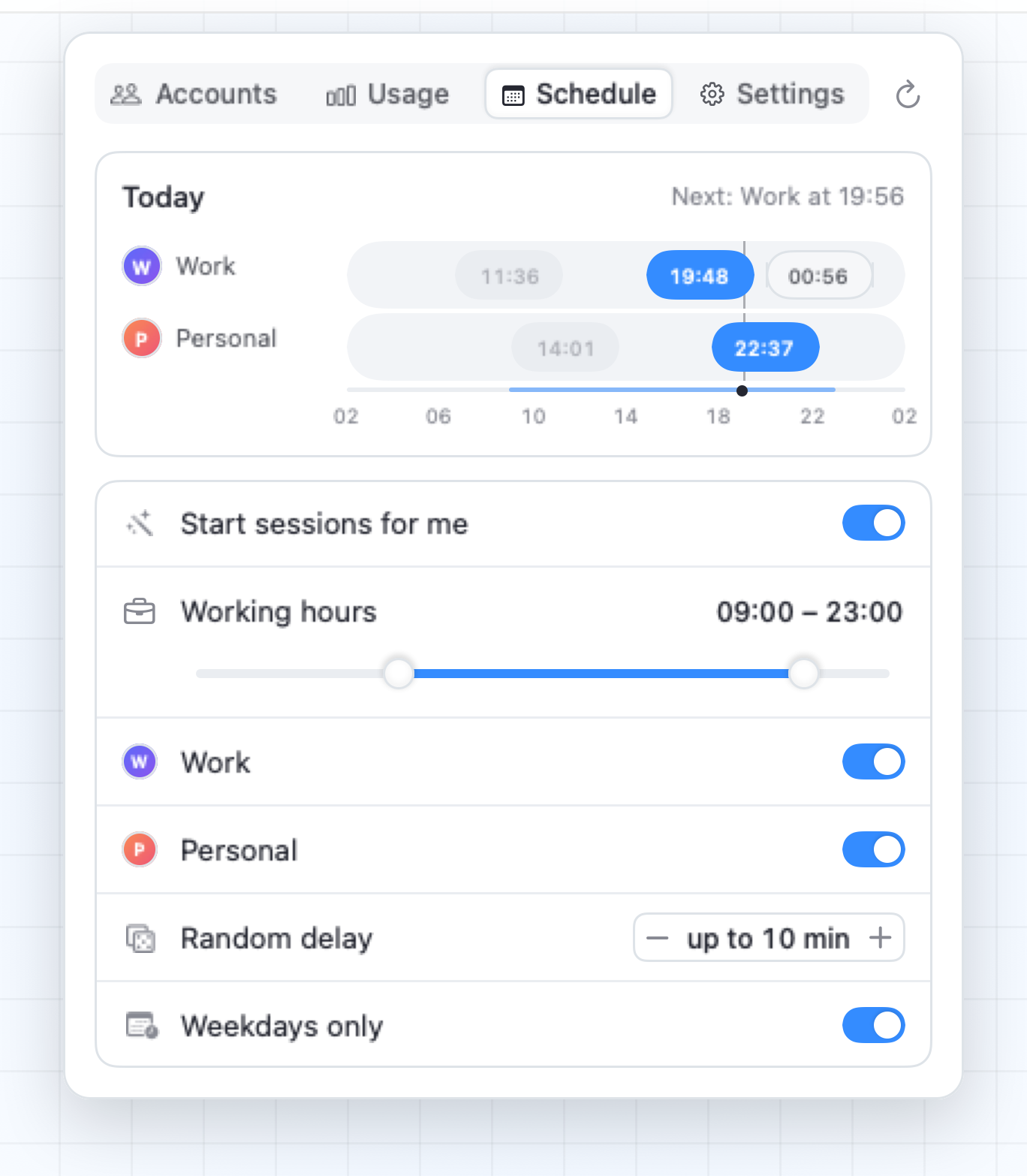
Set your working hours. It staggers each account's 5-hour windows across the day and can start each one on time, so a fresh window is always close.
Auto-switch
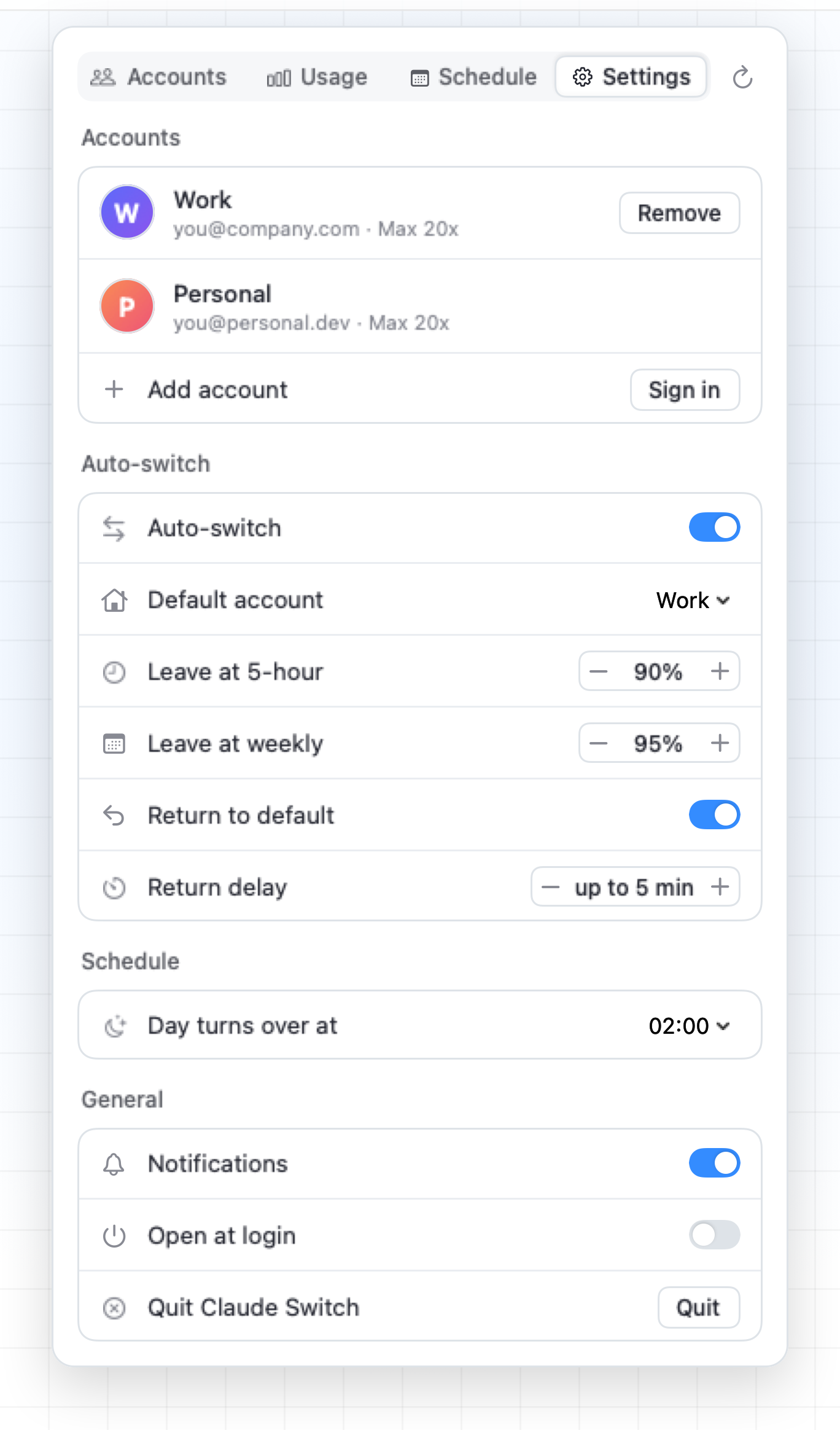
Leave an account at the 5-hour or weekly limit you choose, and go back to your default a few minutes after its window resets. With notifications.
How it works
Everything stays on your Mac. Logins live in your Keychain; the only network calls go to Anthropic.
Install
Download the app from Releases (right-click → Open the first time), or build it yourself:
git clone https://github.com/itsnedthomas/claude-switch.git
cd claude-switch
./build.sh --install